
Modify Blank Layout
Modify the blank shape by offsetting the boundary or smoothing sharp corners.
-
On the Feasibility tab, click Modify.

The Modify guide bar is displayed.
- Click the blank part you want to modify to select it.
-
Select the Offset or Smooth
option to choose how to modify the blank.
- Select Offset and type a value in the microdialog
to offset the perimeter of the blank by the specified amount.
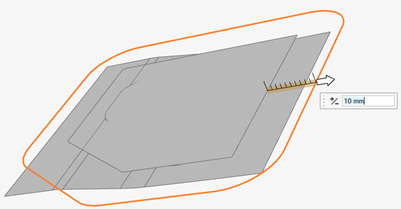
- Select Smooth and type a value in the microdialog
to modify any convex radius larger than the speficied value to match the
specified value.
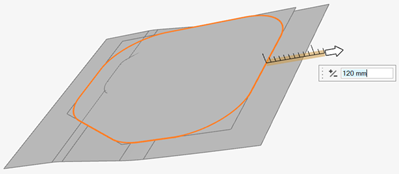
- Select Offset and type a value in the microdialog
to offset the perimeter of the blank by the specified amount.
- Right-click and mouse through the check mark to exit, or double-right-click.