
Setup Systematic Optimization
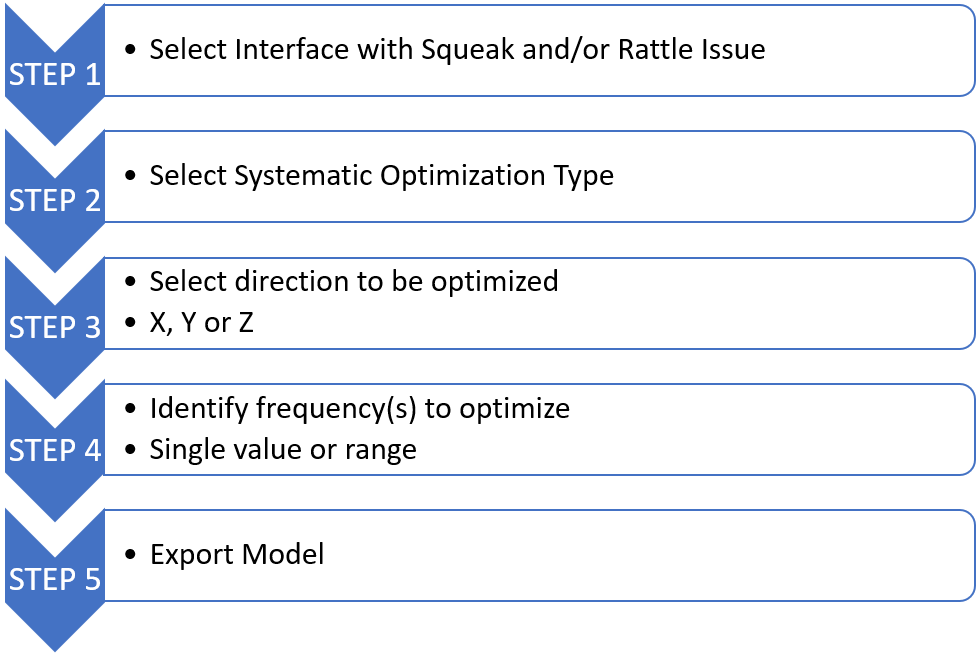
Systematic method can be used to setup a 1D topology optimization to highlight and find the prominent locations to add or position fixation points.
Setup Optimization Deck
-
From the SnRPost ribbon, select the
Optimization tool.
Figure 2. 
The SnR Optimization Browser opens. - Select a loadcase and the required E-Line.
- Choose the Optimization Direction.
-
Click Load.
The model, post processing results, selected loadcase, and E-Line are loaded into the session. The following items display:
- .H3D file of MTRAN analysis, showing selected interface and all 2D Parts.
- Relative displacement graph for selected interface.
- Relative modal contribution bar chart.
- .H3D file of modal analysis.
- Select the required frequency.
-
Select the Auto Fill check box.
The Min. (Hz) and Max. (Hz) value fields are automatically populated. If only one frequency is selected, Single Freq. (Hz) is automatically populated.