
Real-time Simulation
MotionSolve's real-time option for vehicle models allows you to create a real-time capable model “on-the-fly” from the fully parameterized MotionView wizard model and solve it in real time.
MotionSolve Real-time Simulation
Models with flexible bodies, complex geometries, and a large number of degrees of freedom can be simulated in real time with one click.
Using code generation, the real-time simulation uses a superior approach and runs at a constant step and at a constant cost integrator using Functional Mockup Unit (FMU) export and C code generation. FMU is a vendor-neutral format that allows you to integrate MotionSolve models into other environments. You can use code generation to compile the model on any proprietary real-time hardware.
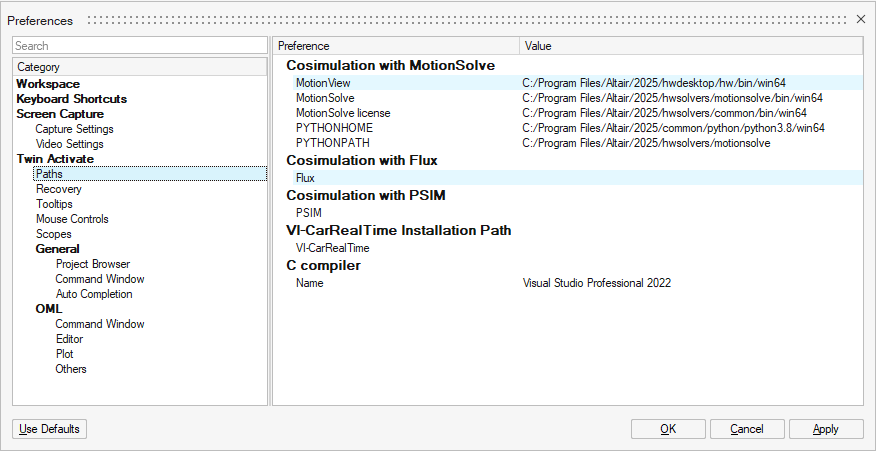
To specify the Co-simulation with MotionSolve path values:
- From the Preferences dialog, select .Define the following values as described:
- MotionSolve
- <install_directory>/hwsolvers/motionsolve/bin/<platform>
- MotionSolve license
- <install_directory>hwsolvers/common/bin/<platform>
- PYTHONHOME
- <install_directory>/common/python/python3.8/<platform>
- PYTHONPATH
- <install_directory>/hwsolvers/motionsolve