
Create Member Panels
Use the Member Panels tool to connect three or more members.
-
From the Skeleton ribbon, click the Member Panels
tool.
図 1. 
-
Create panels in one of two ways:
オプション 説明 Automatically Select three or more members which form an enclosed loop. 図 2. 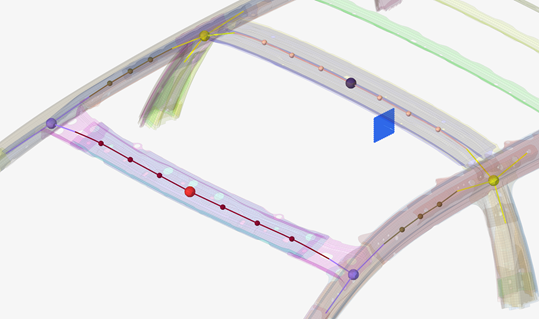
Using existing parts Check Use Existing then select the components or elements to be considered as a panel. In both cases the panel is connected to the members and joints via spring elements. -
Click
 on the ガイドバー to define
mesh and connection options.
on the ガイドバー to define
mesh and connection options.
- Element size
- Size of the panel elements.
- Element type
- Quad, Tria, Mixed, R-Tria, Quad Only
- Shrink offset
- Offset between the panel edge and the member.
- Connect
- Spring stiffness values which are applied to the PBUSH property, which is then subsequently associated to the CBUSH elements.
図 3. Without offset 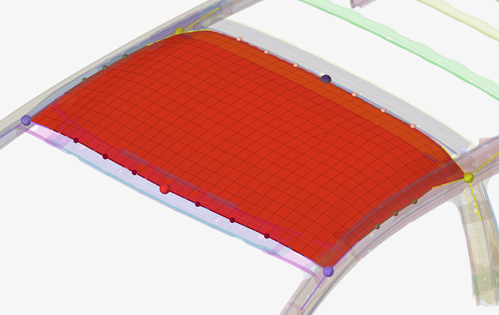
図 4. With offset 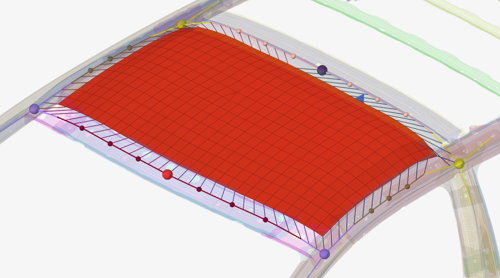
-
ガイドバーで、下記のオプションのいずれか1つをクリックします:
 - 適用し、ツールを開いたままにする
 - 適用し、ツールを閉じる
 – 適用せずにツールを終了する