You can perform further actions such as search within the filter, add to compare, add
to favorites, and view datasheets from the Materials Copilot result list.
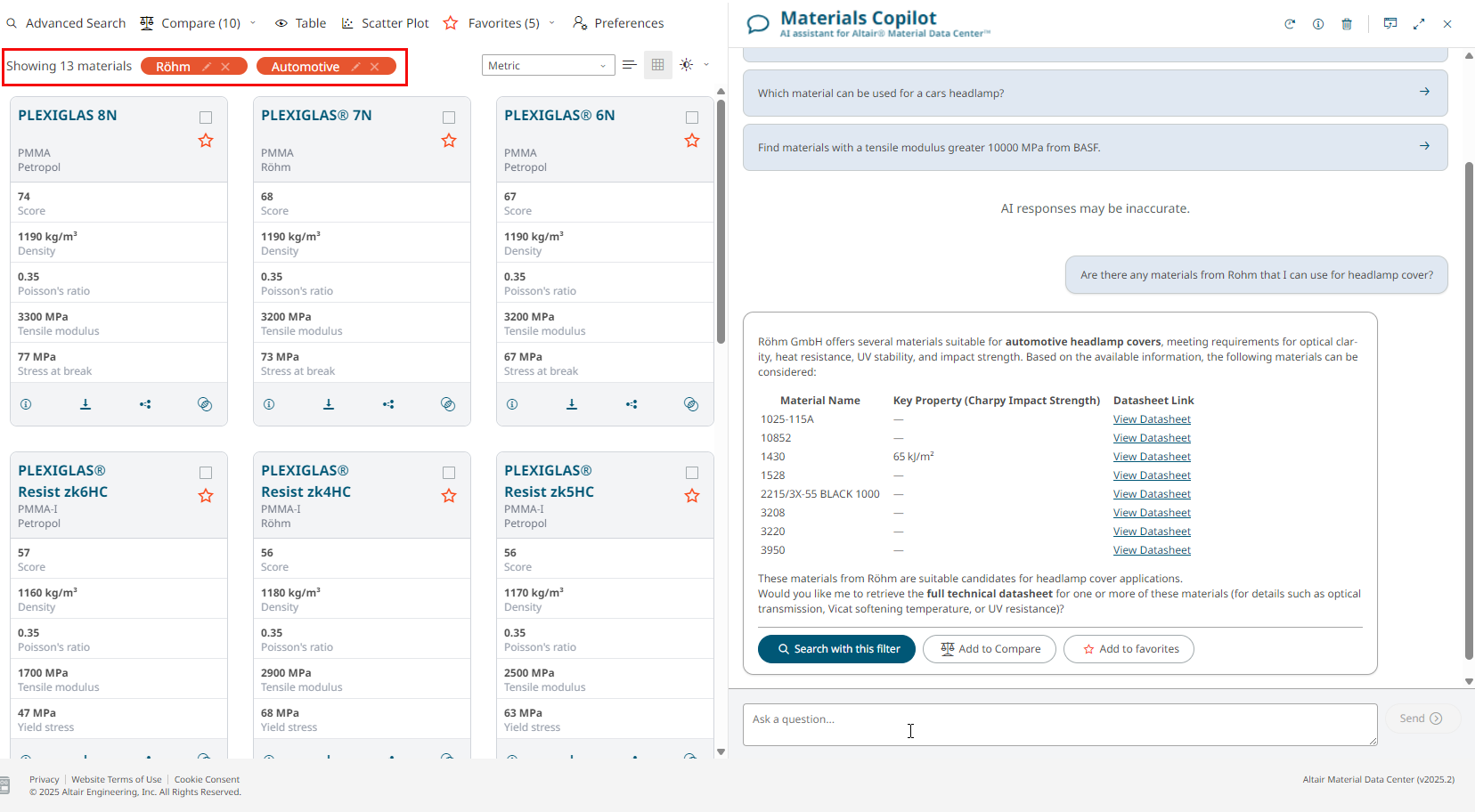
Search with this filter
Materials Copilot helps you narrow down results interactively without starting
a new search.
Click Search with this filter from your search result to
filter the material database.Figure 1. Search with this filter
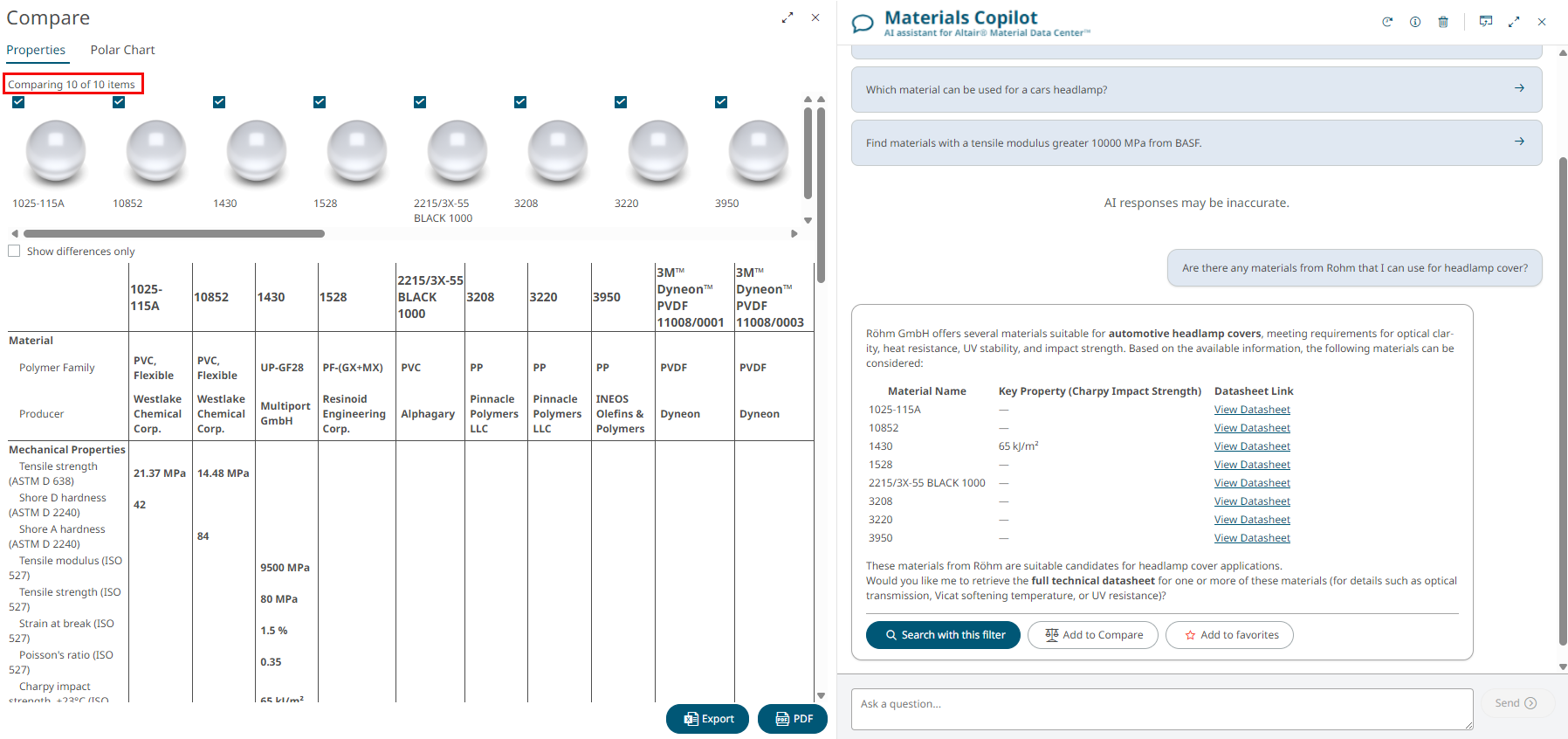
Add to Compare
Click Add to Compare from results to add selected materials to
the comparison list for side-by-side evaluation.Figure 2. Add to Compare
Click Export to download an Excel sheet with the
compared material data.
Click PDF to export compared material data in a PDF
format.
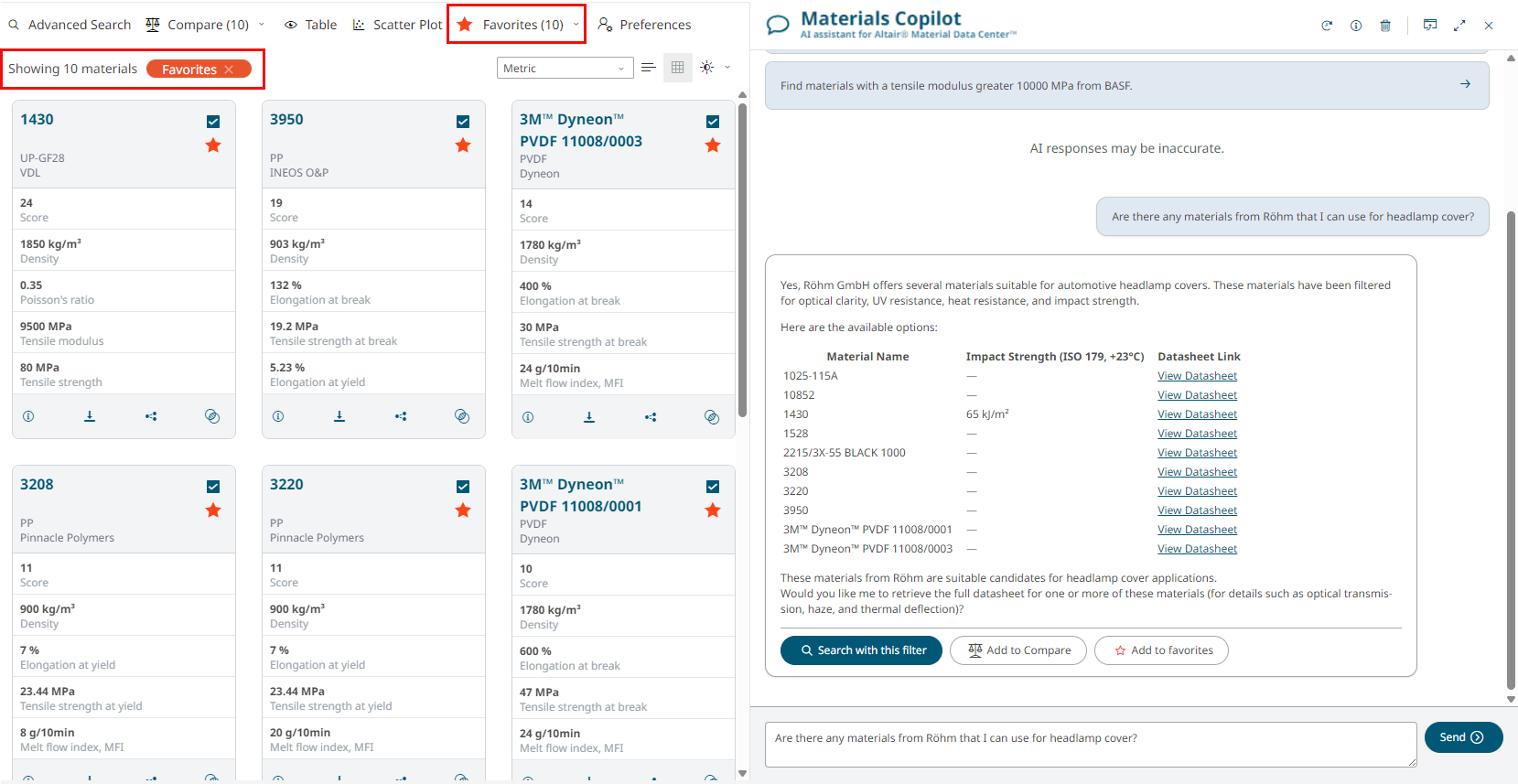
Add to Favorites
Click Add to favorites to save the search result materials to
your favorites for quick access later.Figure 3. Add to Favorites