
Add a New Material Provider
You can add new material provider to the database.
- Click to view the list of existing material providers.
-
To add a new material provider:
-
Select the add item (+) icon at the bottom of
the list.
Figure 1. Add New Material Provider 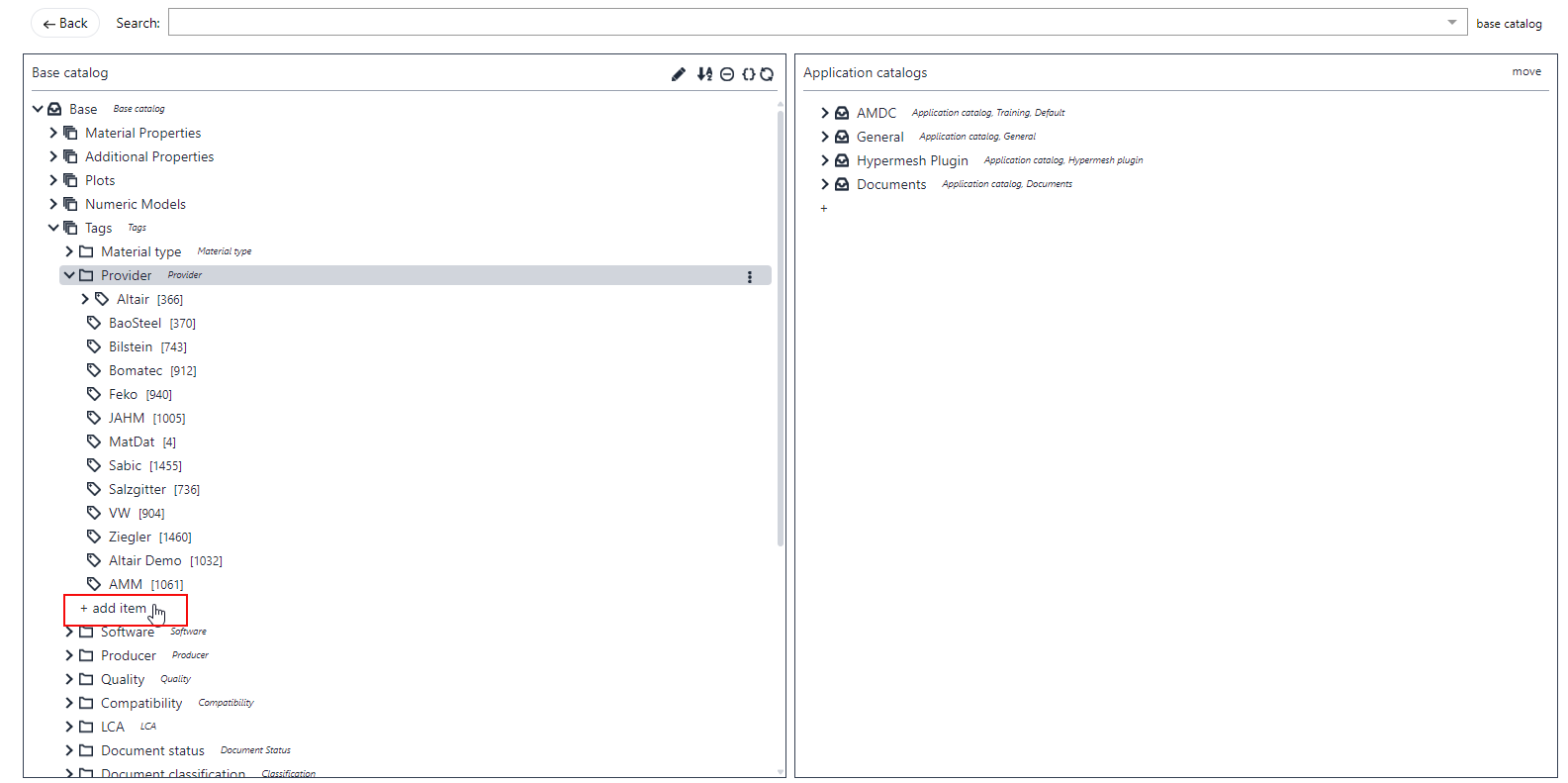
-
Select Feature/Tag in the
Type dropdown.
Figure 2. Add New Item 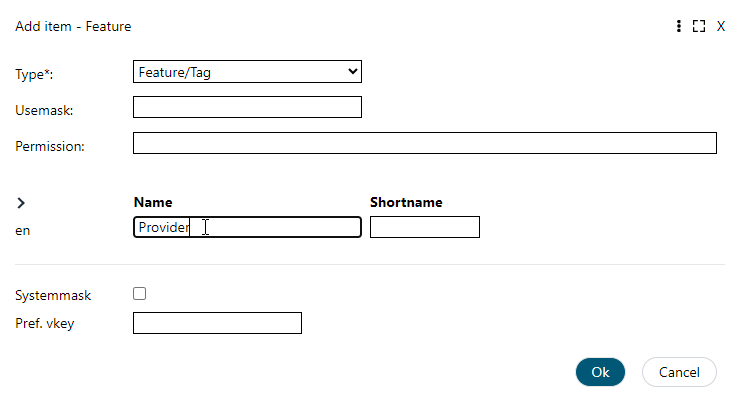
The new material provider adds to the existing Base Catalog. -
Select the add item (+) icon at the bottom of
the list.
-
Drag and drop the new provider tag to SMDC
.
This step is required for materials from this provider to appear on the Viewer page.
- To exclude materials from a specific provider on the Viewer page, drag the provider tag to SMDC .