
Customize PDF Datasheet
Add, delete, or rearrange single-point material properties and plots shown in the PDF Datasheet.
Add a Property or Plot
-
Open AMDC .
This section displays all the single-point material properties and plots currently included in the PDF Datasheet.
- Click the toggle (Drag and Drop Behaviour) button to
move to add material properties from Base
Catalog to Application Catalog
 .
. -
Select the required single-point material property or plot in the Base Catalog.
Figure 1. Add Property for Plot Group 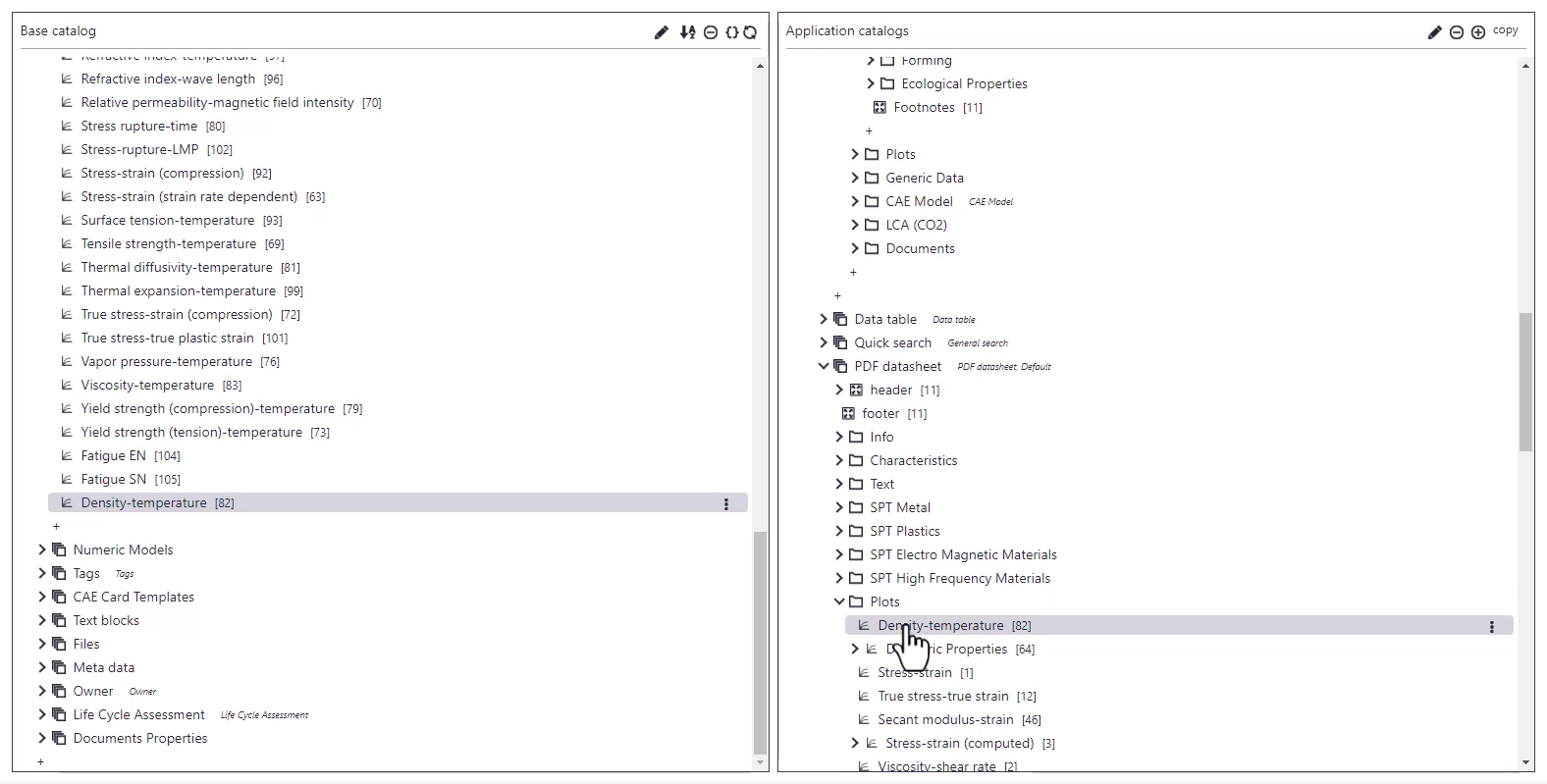
- Drag and drop it into the section. The selected property is moved from Base Catalog to Application Catalog.
Rearrange Properties or Plots
-
Navigate to AMDC .
- Click the toggle (Drag and Drop Behaviour) button to copy to copy material properties within the Application Catalog.
-
Drag and drop items within the list to change their display order in the PDF Datasheet.
Figure 2. Property in PDF Datasheet 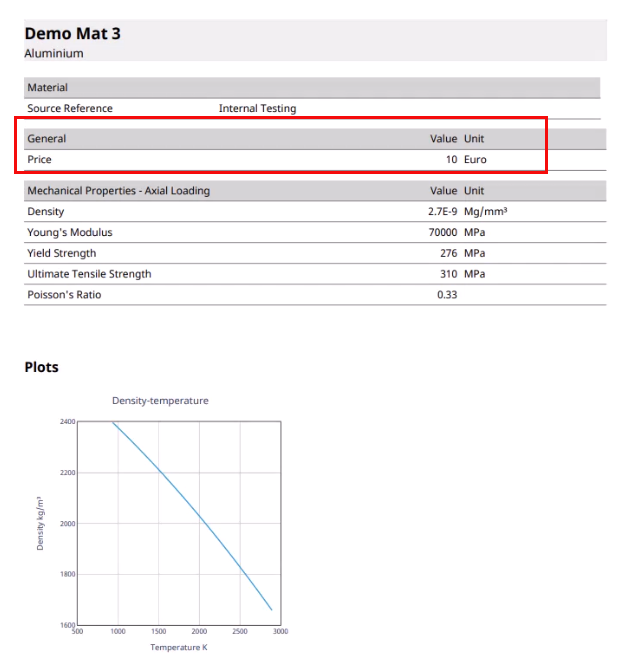
Remove a Property or Plot
- Select the required item in .
- Click
 next to the item and then select Delete item from the menu.The
property is removed from the application catalog.
next to the item and then select Delete item from the menu.The
property is removed from the application catalog.